
The first twenty tests are easy. So are the next fifty.
Then something shifts. At 200 scenarios a full run takes 35 minutes, so nobody runs it locally any more. Red builds get re-run instead of investigated. And when someone asks for iOS coverage, the real answer is that every screen object would have to be rewritten.
None of that is a testing problem. It's a structural one — and structure gets decided early, usually without anyone noticing a decision was being made.
This page collects the entire Mobile Test Automation Framework Series in the order it was meant to be read. Each article builds on the one before it, on the same codebase — you start with an empty folder and finish with a framework that runs plain-English Cucumber scenarios, on Android and iOS, across multiple devices in parallel, configured entirely from the command line.
Follow the path top to bottom and you'll have built the whole thing yourself, with every architectural decision explained as you go.
Before You Start
You'll need Java 21, Maven, and a working Appium setup with at least one Android emulator or real device. If Appium isn't installed yet, start with the Getting Started with Appium path first — this series assumes you can already run a basic Appium session.
The framework is built against the WebdriverIO Native Demo App, a free open-source app that runs on Android emulators and real devices and on iOS simulators. No account, no backend, no setup beyond downloading the binary.
💡 The code is yours to keep. Every hands-on article ships with a complete, runnable code workspace matching that article's end state. The articles are free to read with no account. The downloadable workspaces are members-only — and membership is free. Subscribe here and every workspace in the series unlocks.
The Learning Path
1.Why Most Mobile Test Automation Frameworks Fail
 Mayvin Ramasawmy
Start here. Before writing a single line of code, this article sets out what "robust" actually means for a mobile framework — the quality attributes, the SOLID principles, and the design patterns that separate a framework that scales from one that collapses. Every structural decision in the articles that follow points back to a principle explained here, so this is the article that makes the rest of the series make sense.
2. How to Structure a Mobile Test Automation Framework That Scales Across Teams
 Mayvin Ramasawmy
The first hands-on article. It starts with an honest question most guides skip: do you actually need a multi-module project? Single-module with good packages is often enough, and this article tells you when it isn't. Then it builds the real thing — parent POM, a core module for framework infrastructure, a team-tests module for scenarios, and Spring Boot wired in via BOM import. By the end you have a project that compiles and a dependency graph that won't fight you later.
3. Driver Setup and Screen Objects: Building the Working Core
 Mayvin Ramasawmy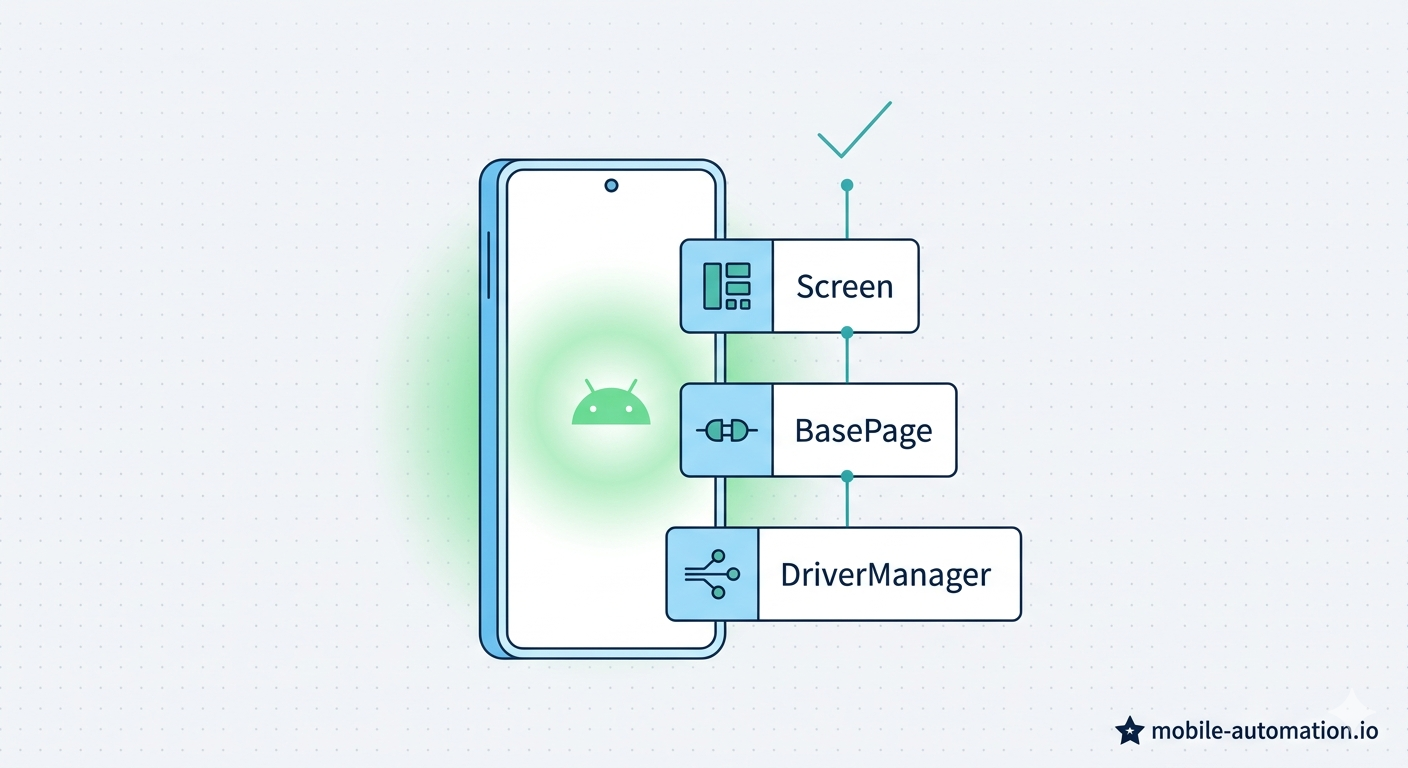
The structure compiles, but nothing runs yet. This article makes the framework work: a DriverManager that owns the Appium session, a BasePage that wires PageFactory into every screen object automatically, your first concrete screen object with real locators, and a test that exercises the whole stack. This is the article where you run your first test against a live device and watch it pass.
4. BDD and Cucumber with Appium: Plain-English Tests
 Mayvin Ramasawmy
Your tests work, but they're Java method names — which tells a product owner nothing. Cucumber separates what a test does from how it does it. You'll add cucumber-java, cucumber-spring, and the JUnit Platform engine, write your first .feature file in Given-When-Then, and map each English line to the screen objects you already built. Nothing from Article 3 changes — Cucumber connects to it from above.
5. One Test, Two Platforms: Cross-Platform Testing with Page Object Model
 Mayvin Ramasawmy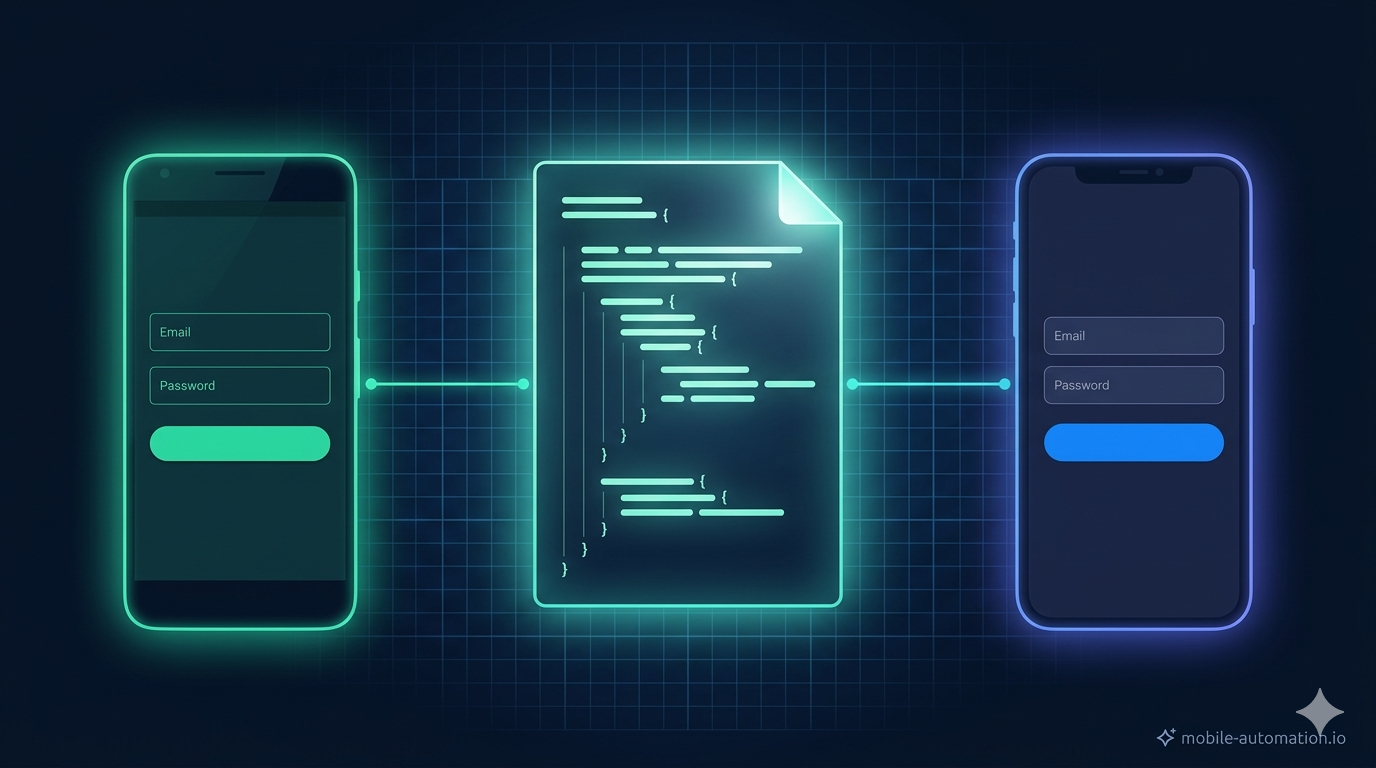
Right now the framework runs on Android and only Android. This article makes it run on both — without duplicating a single screen object. AppiumFieldDecorator supports two locator annotations on the same field and picks the right one at runtime based on the driver type. You add one iOS annotation per field, change two lines of configuration, and the same test suite runs on an iPhone simulator. That's the full scope of the change.
6. Configuration Management, Part 1: Switch Platform and Device by Name
 Mayvin Ramasawmy
Switching platforms still means hand-editing a properties file or passing a wall of raw flags. This part fixes that properly: scattered @Value annotations become a single typed DriverConfig object, and the flat properties file splits into per-dimension profile files — platforms, devices, and a git-ignored local file for your own UDIDs. Afterwards you switch platform and device purely by name.
7. Configuration Management, Part 2: Run Any Combination from CI
 Mayvin Ramasawmy
Part 1 built the pattern; this part extends it to every remaining dimension — which backend your test code talks to, how a run behaves (smoke vs. regression) and the secrets a cloud run needs — then wires it into CI. The payoff: a pipeline picks any combination of platform, device, environment and test phase by name, with nothing inside src/ changing between runs. Includes a configuration map showing which dimension owns which setting.
8. Parallel Mobile Testing, Part 1: Make Every Scenario Truly Independent
 Mayvin Ramasawmy
Flip on parallel execution in a framework built single-threaded and everything falls apart — vanishing elements, NullPointerExceptions, SessionNotCreatedException, failures that move between runs. That isn't flakiness; it's shared state. This part rebuilds the core so every scenario is fully isolated: a ThreadLocal driver, a lifecycle moved into per-scenario @Before/@After hooks, and @ScenarioScope screen objects rebuilt fresh each time. The DriverManager from Article 3 gets its biggest refactor yet.
9. Parallel Mobile Testing, Part 2: Scale Across Devices and Turn It On
 Mayvin Ramasawmy
The series finale. Thread-safe only means ready to run in parallel — the framework still drives one device with the parallel switch off. Here you build a device pool that hands each scenario its own physical device, isolate automation ports so multiple Appium sessions coexist on one machine, turn parallel execution on and add the retry safety net. Two emulators light up at once, a 35-minute suite finishes in roughly half the time, and it keeps dropping — close to linearly — with every device you add.
What's Next?
Work through the nine articles above and you'll have a framework that still works at 200 scenarios, across two platforms, with a whole team touching it - configuration-driven and running scenarios in parallel across multiple devices.
It doesn't stop there. A Framework Extensions series is planned, picking up from this exact codebase to add cloud device farms, visual and accessibility testing, and AI-powered capabilities like self-healing locators.
New guides drop regularly — subscribe for free and you'll be first to know, plus every code workspace in the series unlocks the moment you do.


